Samples
Build any sample with tools\Build-XboxApp.ps1 -Project <csproj> and run its bin\Release\xbox\default.xex in xenia. Code shared by several samples is in samples\Common: ServerClient (HTTP), DirectionalFocus (D-pad focus movement) and DebugLog (debug output to xenia's log; see Testing).
UI samples
| Sample | Shows | Tested in xenia |
|---|---|---|
| ui\GamepadInput | Every controller event live: button down/up, both sticks, both triggers, how bubbling and Handled work, Application.Shutdown on Back+Start. |
Y, X, D-pad, RB, left stick and left trigger events shown live. |
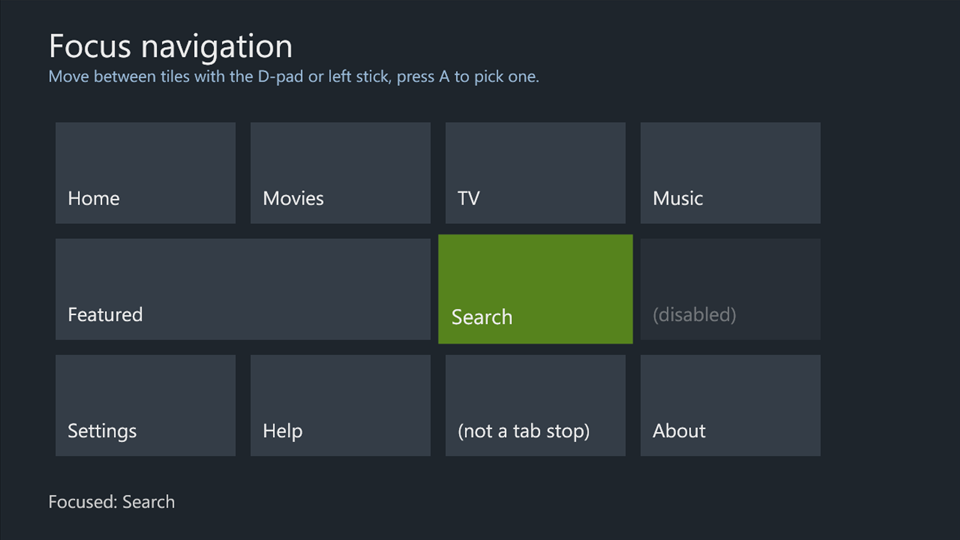
| ui\FocusNavigation | Focus on a grid of tiles: a focused-state template, A clicking the focused Button, D-pad and stick movement with DirectionalFocus, disabled and non-tab-stop controls skipped, unused buttons bubbling to the page. |
D-pad and stick moved focus across the grid, including onto the wide tile; A clicked. |
| ui\XboxControls | Pivot sections switched with LB/RB and built-in grid navigation, a Rune for text entry, a Legend following the focused control. |
Focus moved by the PivotItem; RB switched sections; the Rune typed "bc"; the Legend changed with focus. |
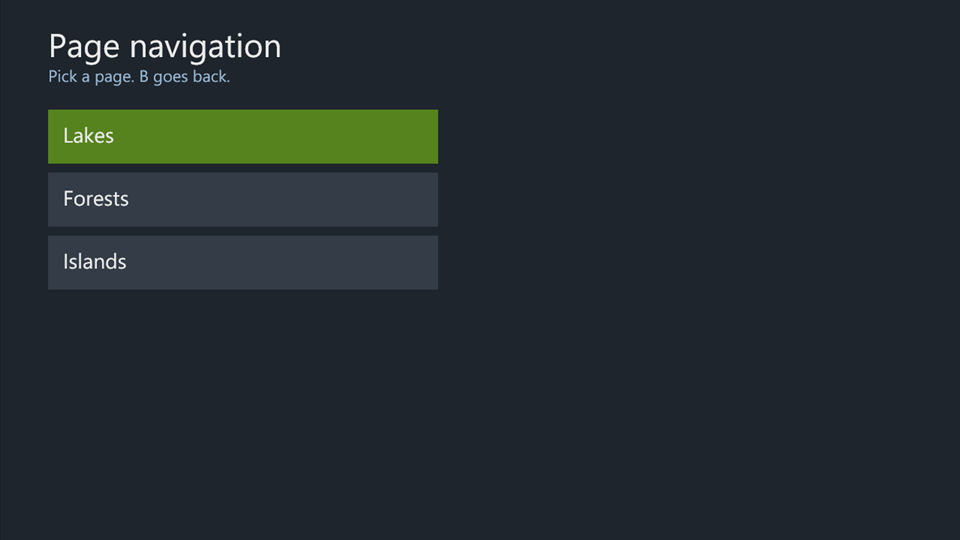
| ui\PageNavigation | XboxApplicationFrame with XboxApplicationPages, query-string parameters, staggered transitions, B for back, going back to the first page. |
Opened a page, went one deeper, B went back; four pages deep, "Back to the start" unwound to the home page and the home buttons still opened pages. |
Application samples
| Sample | Shows | Tested in xenia |
|---|---|---|
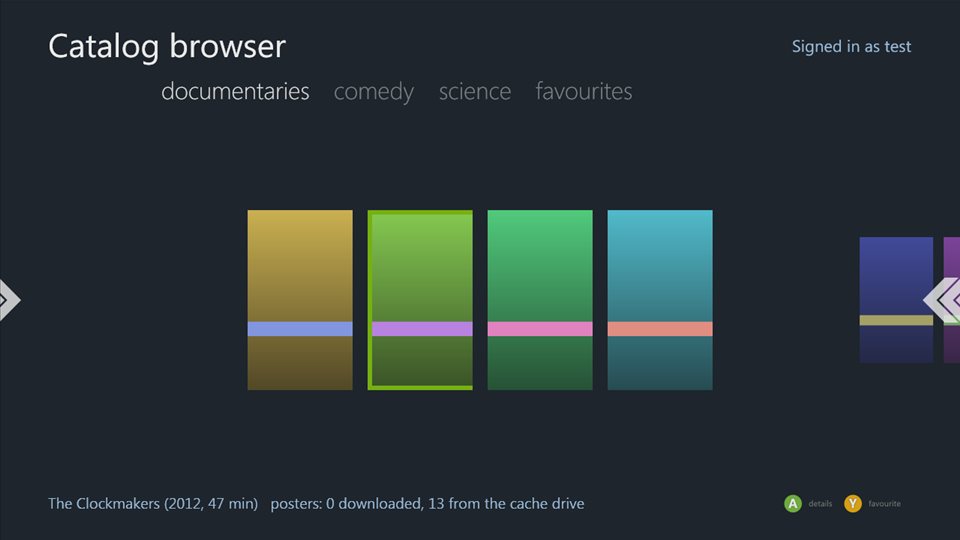
| apps\CatalogBrowser | A streaming-style catalog: an XML catalog from a server, a Pivot per category built in code, posters cached on the cache drive, a detail page, favourites saved in a storage container (Y toggles them), the signed-in gamertag, a Legend. Needs the test server, and a runtime profile with the title for the favourites (The app's title). |
Catalog and posters loaded; gamertag shown; Y added a favourite and the detail page saw it; posters came from the cache drive on later loads; B went back; RB switched categories. |
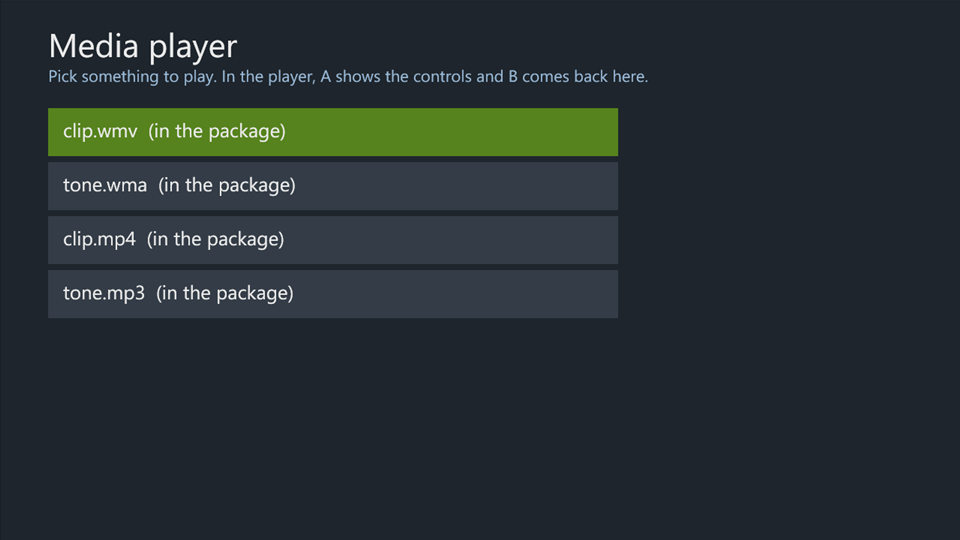
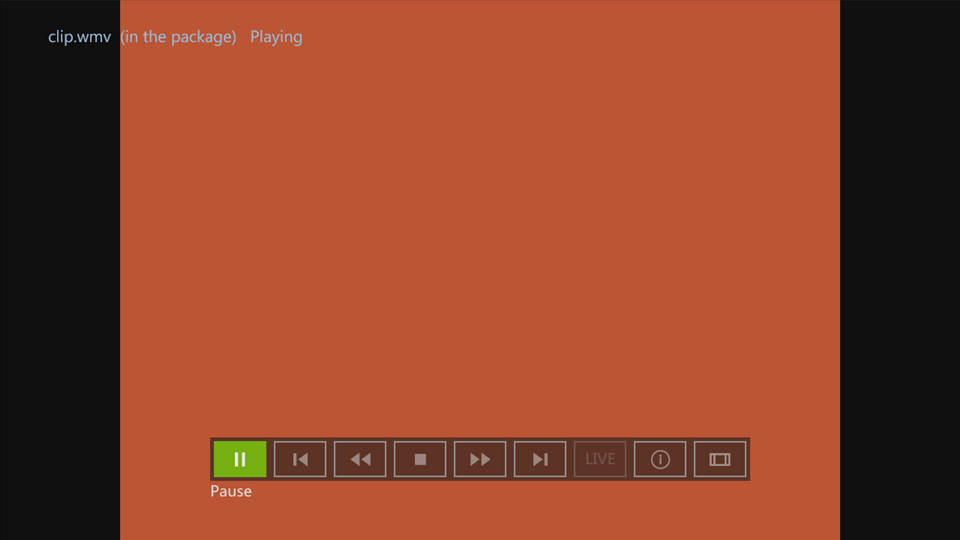
| apps\MediaPlayer | A media list and a player page with MediaTransport around a MediaElement: MediaAssetId, focus, the Back event, stopping on leaving, state changes and failures logged with DebugLog. Lists files packaged in its Media folder (played from a URI relative to the XAP) and files from the test server's samples\TestServer\media. |
List, player page, transport bar and back work; WMA plays from the package and the server. With the codec loader and the console's codec module (see Media), packaged WMV and MP3 play too; MP4 plays with a garbled picture. |
Earlier samples
| Sample | Shows |
|---|---|
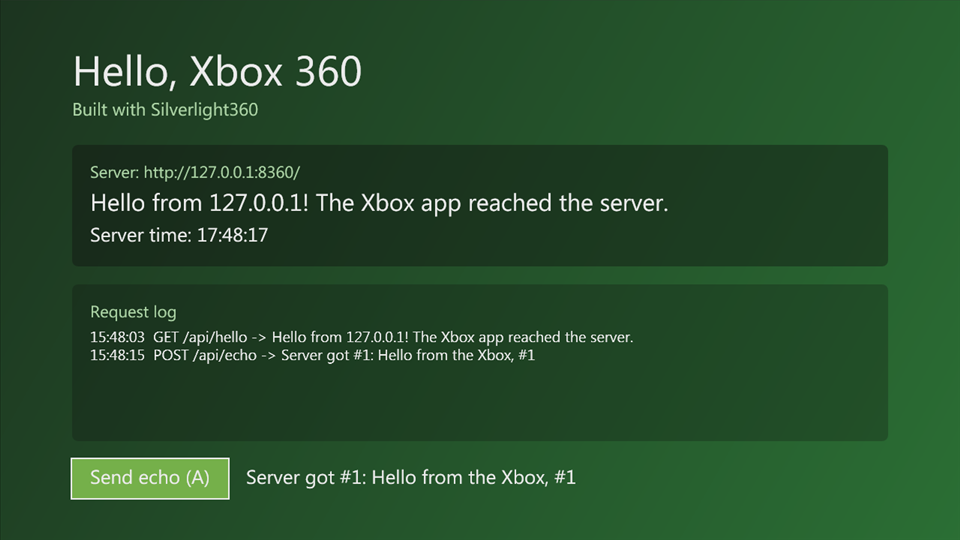
| HelloXbox | The smallest app: XAML, A on the controller, HTTP GET and POST to the test server, a DebugLog line at startup. |
| NativeProbe | DllImport into xam and the kernel by ordinal, including a structure through a pinned buffer. |
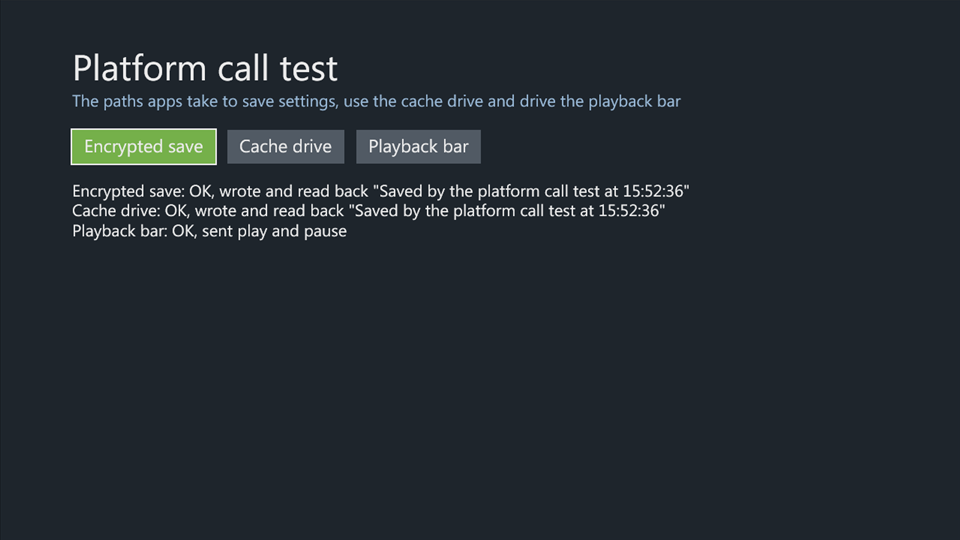
| PlatformCalls | A storage container, the cache drive and MediaTransport commands, each reporting OK or the error. Written to test the xenia fixes for them. Build it on a runtime profile with the title (The app's title). |
A native library of the app's own
NativeLibrary calls into testlib.xex, a DLL in C that ships in the app's package, with
DllImport by ordinal: 32- and 64-bit arguments and results, a pinned buffer the DLL reads and writes, and state the
DLL keeps between calls. Then it asks the kernel for the same module with XexLoadImage, XexGetModuleHandle and
XexGetProcedureAddress. It passes all 8 checks in xenia-edge and on a console (2.0.17559) that runs unsigned code.
The DLL is built with xsdk, and needs its DLL support (elf2xex.py --dll), which
is in the dll-modules branch of jessenic/xsdk until
xenosworks/xsdk#4 is merged. Build xsdk's toolchain as its own docs say
(in WSL, ~/xsdk-gcc), then:
# In WSL: writes samples/NativeLibrary/testlib.xex, which the project packages. XSDK is the dll-modules checkout
# (default ~/xsdk), TOOLCHAIN the toolchain's prefix (default ~/xsdk-gcc/bin/powerpc-xsdk-elf-).
git clone -b dll-modules https://github.com/jessenic/xsdk ~/xsdk
XSDK=~/xsdk bash samples/NativeLibrary/native/build.sh
# Then the app, as any sample.
.\tools\Build-XboxApp.ps1 -Project .\samples\NativeLibrary\NativeLibrary.csproj
What a DLL of your own needs, to load on a console as well as in xenia:
- A load address that's free on the console.
native/testlib.ldlinks it at 0x8F000000 andbuild.shgives elf2xex the same--base. A console running a Silverlight app has 0x8A000000, 0x8C000000 and 0x8E000000 taken, and there the module can't load. xenia has them free, so it doesn't show. A module that doesn't load becomes a call through a null pointer at its firstDllImport, which took the console down. XexLoadImageasked as the CLR asks: with the path the CLR loaded it by (GAME:\before its name) and flags 9, a DLL of the title's process. A title's request without the title bit (0x1) is refused with STATUS_ACCESS_DENIED on a console; xenia lets it through.
Apps built with Silverlight360
| App | Shows |
|---|---|
| Silverdash360 (documentation) | A whole app that runs on consoles: a dashboard listing the console's games and apps with DllImport into XAM and the kernel, a virtualized grid for thousands of titles, Marketplace art over its own socket HTTP client, DLNA media servers, an FTP server, and updates from GitHub over HTTPS. Its releases are app-only builds (Handing out an app), and it has a debug server for testing on a console without a development kit. |
Screenshots
All taken in xenia-edge.
 |
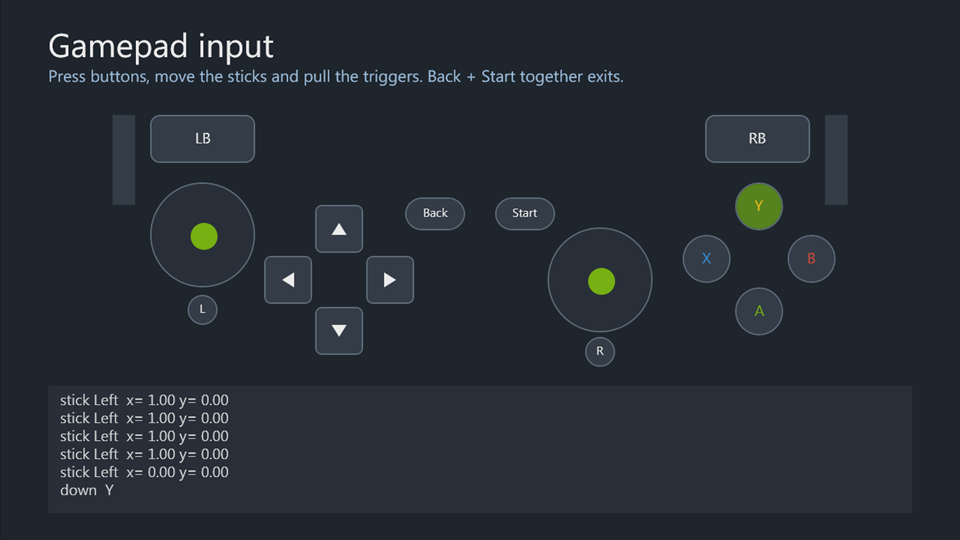 |
| HelloXbox | GamepadInput |
 |
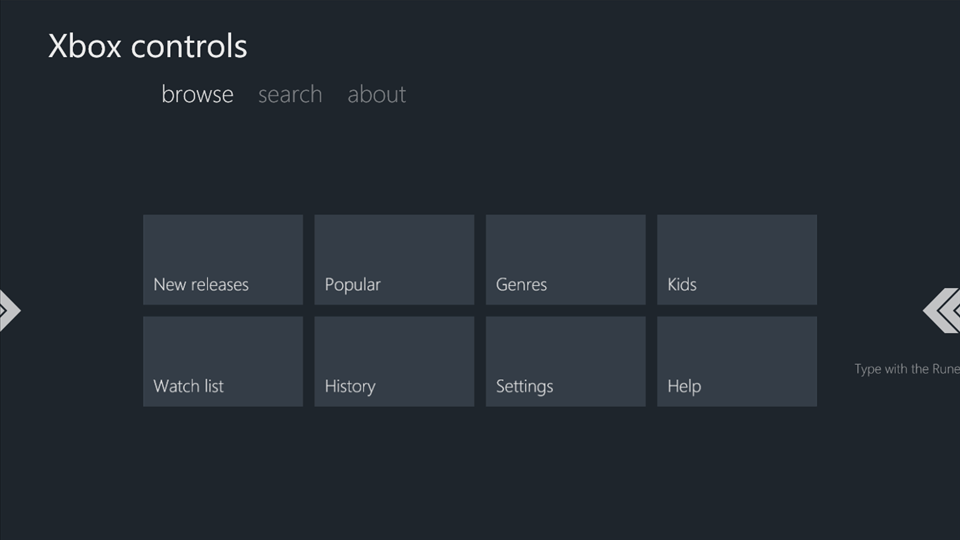 |
| FocusNavigation | XboxControls |
 |
 |
| PageNavigation | CatalogBrowser |
 |
 |
| MediaPlayer, the list | MediaPlayer, a WMV playing |
 |
|
| PlatformCalls |